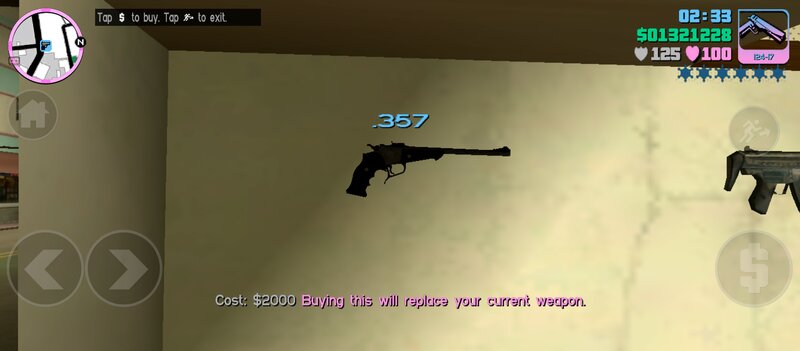
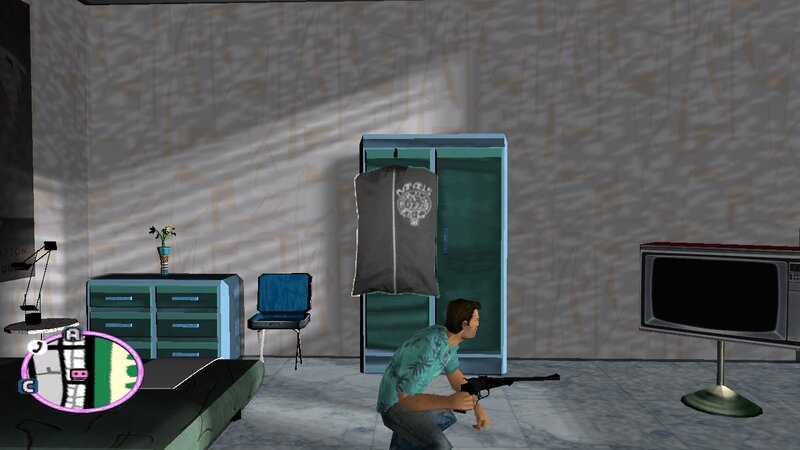
Add to GTA: Vice City new powerful weapon from the game Resident Evil Requiem. The weapon has improved characteristics and fits perfectly into the gameplay.
The "Redemption" is a heavily engraved Thompson Center Arms Encore with an extended barrel. It is used by Zeno to devastating effect, splitting BSAA soldiers in two and liquefying their body parts.
It is available to Leon for a New Game Plus run at 3,500 CP from the Special Content shop.
FEATURES:
-High quality textures and models.
-Increased damage, accuracy and clip capacity.
-Converted model from: Resident Evil Requiem.
-Compatible with both PC and Android.
INSTALLATION INSTRUCTIONS:
For PC:
-Make a backup copy of your game files before installing the mod.
-With "Txd Workshop" locate the game's installation folder and move to "models",Open the file "gta3.img" and replace "python.dff and python.txd".
-Now go to the "data" folder,Use the "Notepad" to open and replace the "weapon.dat" file.
For ANDROID:
-Open "GTA IMG Tool" and follow the path:"Android/Data/com.rockstargames.gtavc/files/texdb".
-In the files "weap_high.img" and "gta3.img",delete "python.dff" and select "Add with replace" to import the new weapon.
-Use the "TXD Tool" to open "gta3hi.txt" and "gta3img.txt",select "Import Uncompressed 32bpp" to add the textures.
-Now move to the data folder to replace the old files.launch the game and enjoy!
For ANDROID 11 and above users:
1-To install and run the mods, you must first use a GTA application with full system file access privileges. You also need a file manager that supports this feature to transfer the necessary files.
2-Now navigate to the game folder and copy the "Texdb" folder. Move it outside the system root to bypass the block. Create a folder to place the copied file in.
3-Now you can add the modification as usual. Once finished, move the file to the game folder and make sure the process was completed correctly.
4-Finally, launch the game and enjoy!
Have a nice day! |
 More
More

 Thompson Center Arms Encore for Mobile Pro Hunter - (.223 Remington / .308 Winchester)